
Hunt down social media accounts by username across 400+ social networks
Installation
•
Usage
•
Contributing
## Installation
> [!WARNING]
> Packages for ParrotOS and Ubuntu 24.04, maintained by a third party, appear to be __broken__.
> Users of these systems should defer to [`uv`](https://docs.astral.sh/uv/)/`pipx`/`pip` or Docker.
| Method | Notes |
| - | - |
| `pipx install sherlock-project` | `pip` or [`uv`](https://docs.astral.sh/uv/) may be used in place of `pipx` |
| `docker run -it --rm sherlock/sherlock` |
| `dnf install sherlock-project` | |
Community-maintained packages are available for Debian (>= 13), Ubuntu (>= 22.10), Homebrew, Kali, and BlackArch. These packages are not directly supported or maintained by the Sherlock Project.
See all alternative installation methods [here](https://sherlockproject.xyz/installation).
## General usage
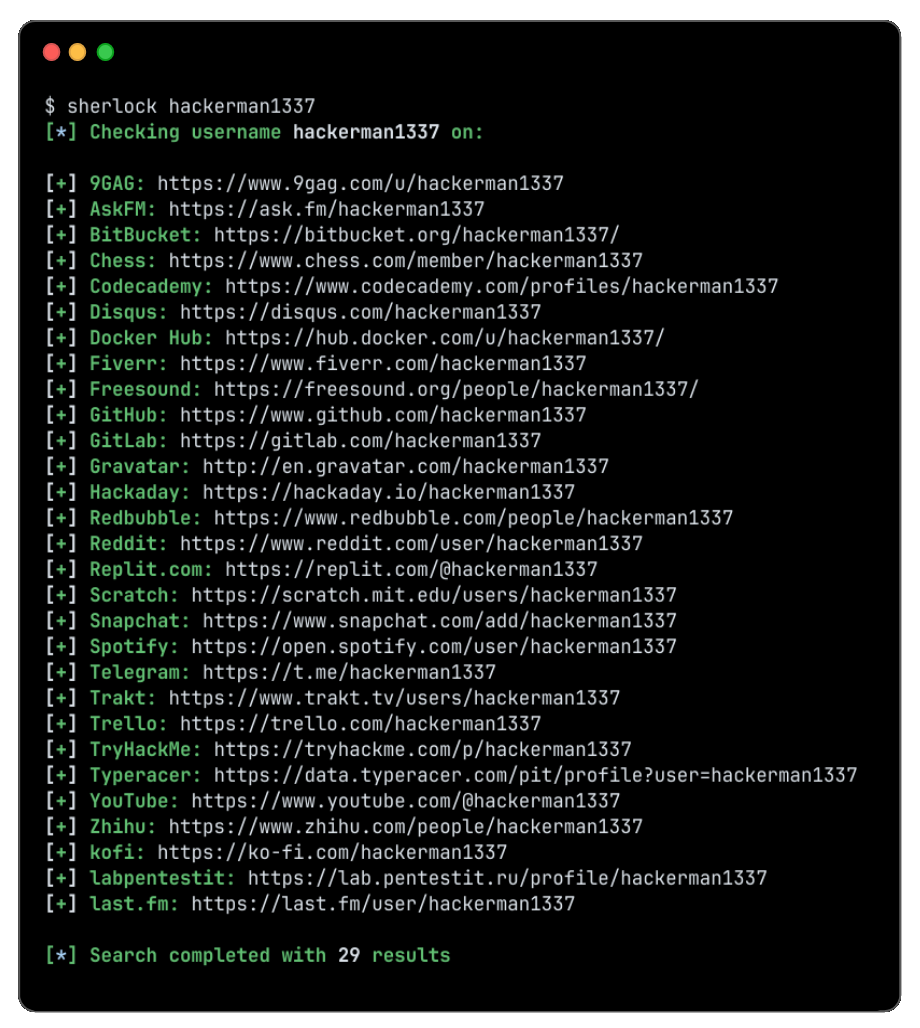
To search for only one user:
```bash
sherlock user123
```
To search for more than one user:
```bash
sherlock user1 user2 user3
```
Accounts found will be stored in an individual text file with the corresponding username (e.g ```user123.txt```).
```console
$ sherlock --help
usage: sherlock [-h] [--version] [--verbose] [--folderoutput FOLDEROUTPUT] [--output OUTPUT] [--csv] [--xlsx] [--site SITE_NAME] [--proxy PROXY_URL] [--dump-response]
[--json JSON_FILE] [--timeout TIMEOUT] [--print-all] [--print-found] [--no-color] [--browse] [--local] [--nsfw] [--txt] [--ignore-exclusions]
USERNAMES [USERNAMES ...]
Sherlock: Find Usernames Across Social Networks (Version 0.16.0)
positional arguments:
USERNAMES One or more usernames to check with social networks. Check similar usernames using {?} (replace to '_', '-', '.').
options:
-h, --help show this help message and exit
--version Display version information and dependencies.
--verbose, -v, -d, --debug
Display extra debugging information and metrics.
--folderoutput FOLDEROUTPUT, -fo FOLDEROUTPUT
If using multiple usernames, the output of the results will be saved to this folder.
--output OUTPUT, -o OUTPUT
If using single username, the output of the result will be saved to this file.
--csv Create Comma-Separated Values (CSV) File.
--xlsx Create the standard file for the modern Microsoft Excel spreadsheet (xlsx).
--site SITE_NAME Limit analysis to just the listed sites. Add multiple options to specify more than one site.
--proxy PROXY_URL, -p PROXY_URL
Make requests over a proxy. e.g. socks5://127.0.0.1:1080
--dump-response Dump the HTTP response to stdout for targeted debugging.
--json JSON_FILE, -j JSON_FILE
Load data from a JSON file or an online, valid, JSON file. Upstream PR numbers also accepted.
--timeout TIMEOUT Time (in seconds) to wait for response to requests (Default: 60)
--print-all Output sites where the username was not found.
--print-found Output sites where the username was found (also if exported as file).
--no-color Don't color terminal output
--browse, -b Browse to all results on default browser.
--local, -l Force the use of the local data.json file.
--nsfw Include checking of NSFW sites from default list.
--txt Enable creation of a txt file
--ignore-exclusions Ignore upstream exclusions (may return more false positives)
```
## Credits
Thank you to everyone who has contributed to Sherlock! ❤️
 ## Star History
 ## License
MIT © Sherlock Project
## License
MIT © Sherlock Project
Creator - [Siddharth Dushantha](https://github.com/sdushantha)
[ext_pypi]: https://pypi.org/project/sherlock-project/
[ext_brew]: https://formulae.brew.sh/formula/sherlock